
Mx9 Tools: Excel Tab Management Tool
Using bespoke userforms (not normally available with standard Excel functionality) and the in-built programming language VBA, we have built this FREE Excel sheet management tool.
Whilst it works on all workbooks, it’s particularly useful for larger workbooks, and makes for easy management of multiple tabs. You can hide and unhide multiple tabs in a single click, easily re-order tabs, and sort tabs alphabetically/numerically, all automatically.
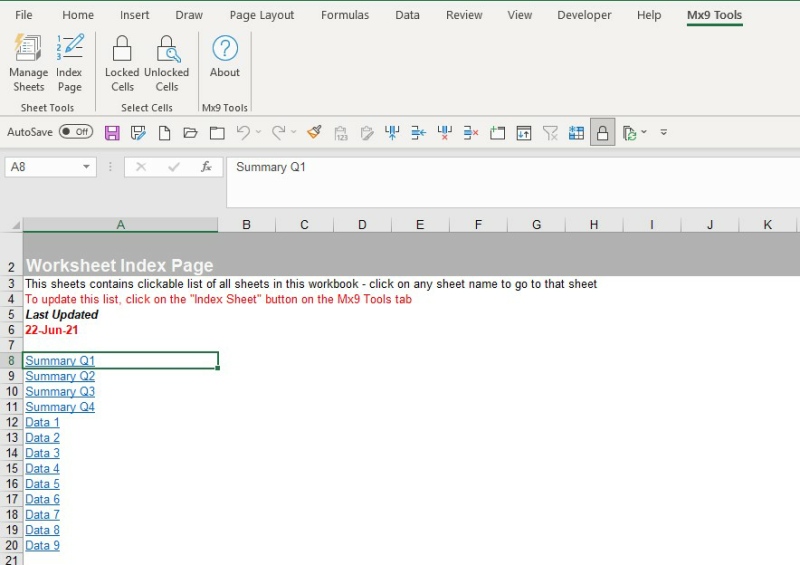
In addition, it can also create an ‘Index’ sheet for you workbook, which lists all the sheets in the workbook – and each sheet name is clickable to instantly jump to that tab.
This runs as an easily installed Excel add-in, meaning it can be used with all your Excel workbooks, and it adds a new tab onto the Excel ribbon for easy access to its functionality.
Technology: Excel/VBA/Addin
Licence: Freeware, free download from Matrix9
This free add-in uses user forms and VBA to allow for easy management of sheet tabs in Excel workbooks, particularly those with lots of tabs.
Why not see what Matrix9 can do with userforms and VBA to quickly add automation to your everyday business tasks?
It could be the automation of data copying between different sources that is currently a manual grind.
Or quickly sending out emails based on data in a database (or spreadsheet, or Word doc).
If you can do it with Office, we can probably help to do it faster! Why not get in touch now for a no-obligation quote?
How it works
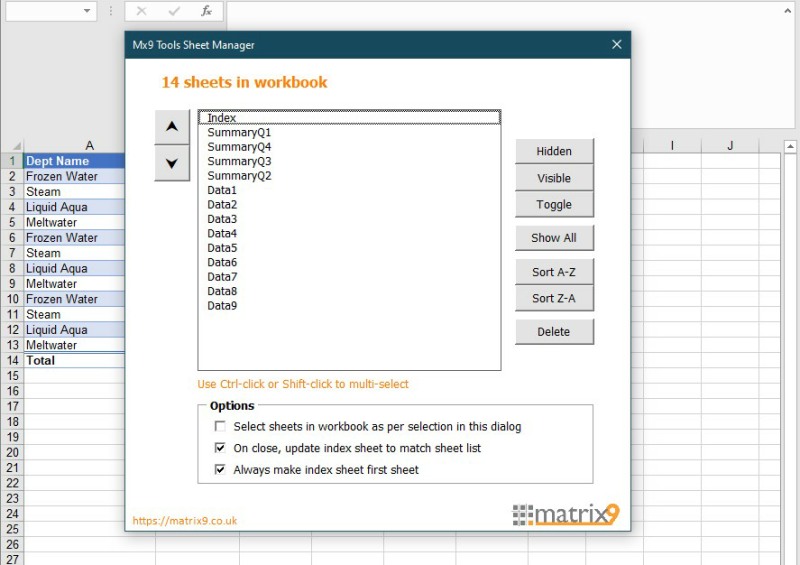
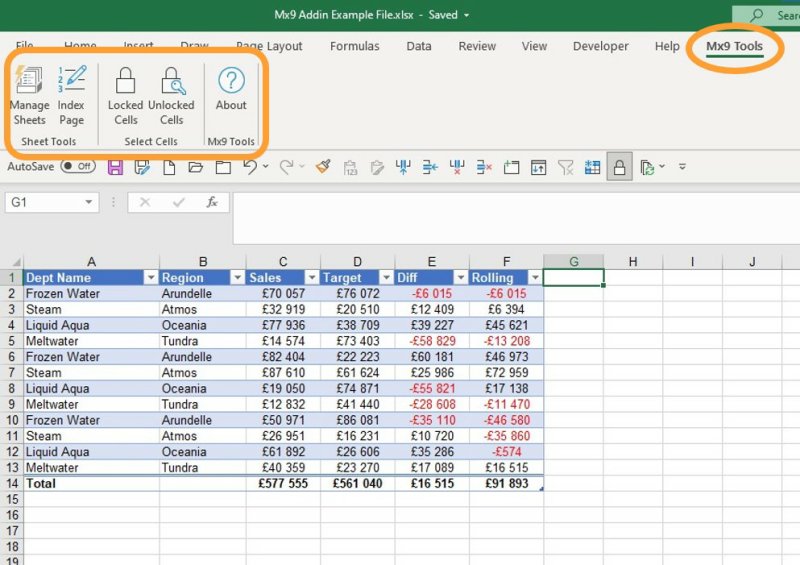
Simply click the ‘Manage Sheets’ button on the ‘Mx9 Tools’ ribbon tab that the add-in automatically creates, to open the sheet management box.
This box will list all the sheets in the workbook (both visible and hidden) and from this list it’s easy to: hide and unhide tabs, change the order of the tabs, and re-order automatically (eg alphabetically)
Key features
- See all your tabs listed, both visible and hidden
- Hide and unhide multiple tabs, all in one go
- Re-order tabs easily
- Sort tabs alphabetically/numerically
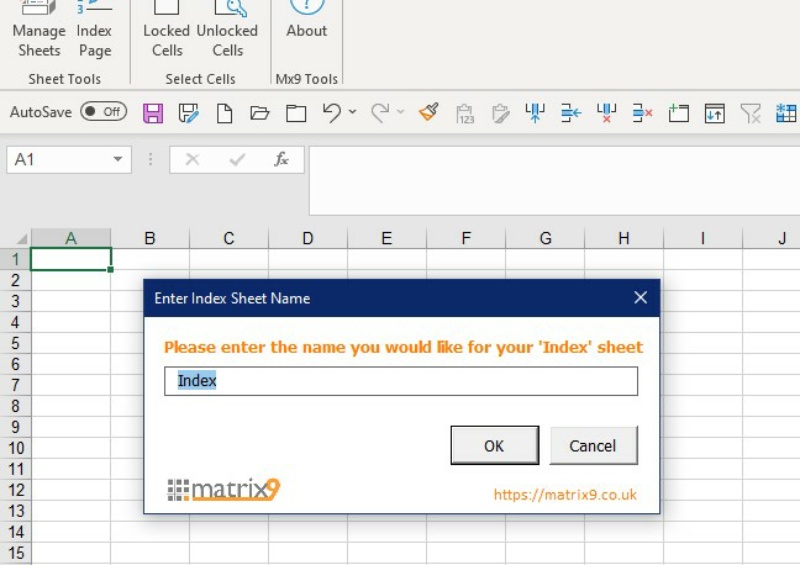
- Create an ‘Index’ tab with clickable links to every tab in the workbook
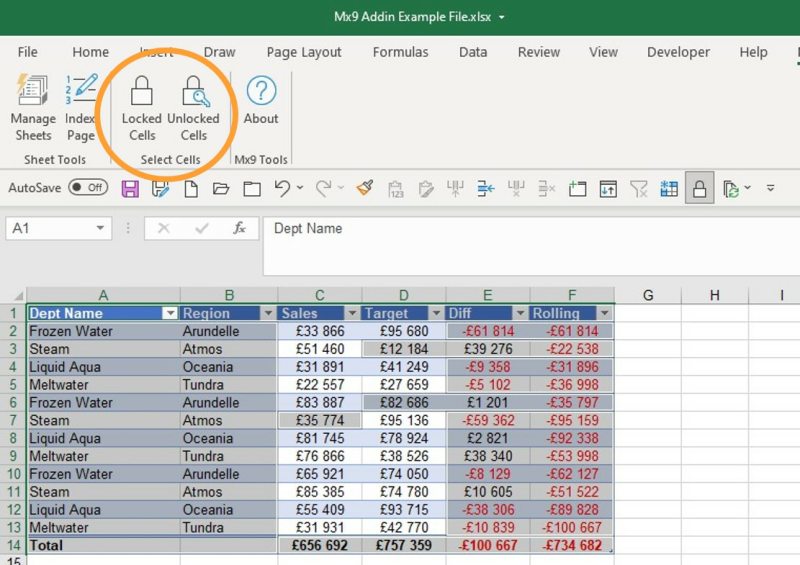
- Additionally allows you to easily highlight locked and unlocked cells in your worksheet (something not otherwise easy to do in Excel)
How to Install Mx9
Mx9 is an Excel add-in file. Installation is quite straightforward, and there are lots of easy-to-follow tutorials online. Rather than re-inventing the wheel, here are some links to a few of my favourites (we bear no responsibility for the on-going accuracy of these links!)
Mx9 Video Demonstration
Mx9 Screenshots
More Examples of Our Work
See various different examples of what we do – from Excel spreadsheets to complex Access CRM databases, from automating processes between Office applications to quick-turnaround mobile apps – and ALL built on products within the Microsoft Office 365 product suite.

DirectTree: Easy Windows Folder Creation Tool
DirecTree is our FREE tool that allows you to easily create folders in Windows. Rather than having to create folders one-by-one in Windows Explorer, let DirecTree make folders from lists you create in Excel

SNOWbiz: Access CRM for Ski Chalet Businesses
DirectTree: Easy Windows Folder Creation Tool
DirecTree is our FREE tool that allows you to easily create folders in Windows. Rather than having to create folders one-by-one in Windows Explorer, let DirecTree make folders from lists you create in Excel
SNOWbiz: Access CRM for Ski Chalet Businesses
Download to Get Started
Mx9 Tools is a 100% free download, and if you have Excel installed it will work “straight-out-of-the-box” once you have set-up the add-in
* For Mx9 Tools to work, you will need to install it as an Excel add-in
Like what you see? Have an idea for an Office app you think we might be able to help you with?
Contact us now for a no-obligation quote, or simply to tell us what you’d like done and we’ll let you know if/how we can help.