
DirecTree: An Excel Folder Creation Tool
Using Excel’s in-built programming language, VBA, allows Excel to extend far beyond simple spreadsheets.
This free tool allows you to quickly create lists of folders that you can then turn into Windows 10 folders with the click of a button.
Whilst Windows in-built file explorer allows easy creation of folders, it simply isn’t designed to make it easy to create multiple folders. In the office you may find yourself doing this often (think folders with month names, or maybe folders of your different business units).
DirectTree not only makes this process easy and simple (it is, at its heart, an Excel file) there’s no complicated installing – run it like any other Excel file, and free up some time for real work!
Technology: Excel/VBA
Licence: Freeware, free download from Matrix9
Using VBA, Excel’s built-in programming language, allows us to extend Excel’s capabilities far beyond number crunching. VBA allows us to hook into Windows itself, in this case, to use Excel lists to easily create folders in Windows.
Why not see what Matrix9 can do to unleash the power of VBA and quickly add automation to your everday business tasks? It could be the automation of data copying between different sources that is currently a manual grind. Or quickly sending out emails based on data in a database (or spreadsheet, or Word doc).
If you can do it with Office, we can probably help to do it faster! Why not get in touch now for a no-obligation quote?
How it works
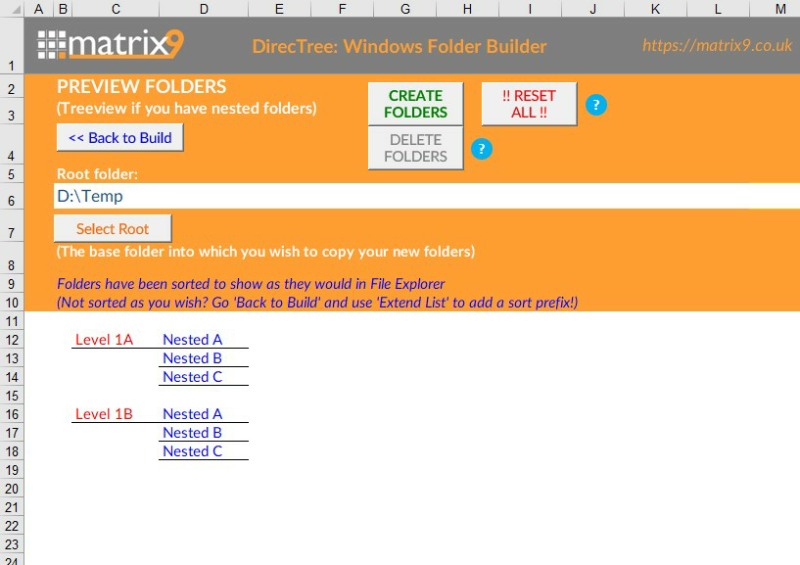
At it’s most basic, you can simply add a list of folder names to the main window, click on ‘Preview Folders’, select the root folder you wish to create the folders in, then click ‘Create’ to have the folders created instantly for you – simple as that.
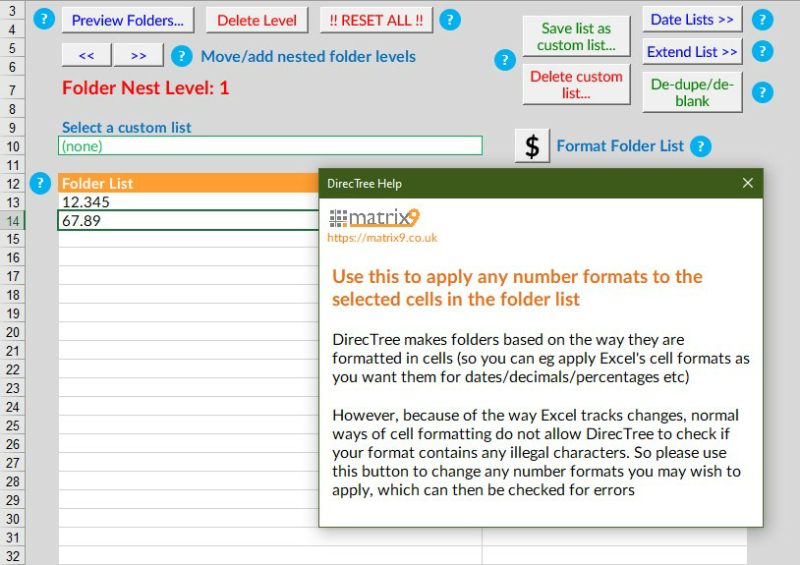
This being an Excel spreadsheet, you can use all of Excel formulas as you would normally, to help you easily create complex folder name lists – if you can create it in Excel, you can create it in DirectTree!

Advanced features
As well as creation of simple lists, DirecTree has several advanced features to make folder creation even easier:
- Error checking – check for illegal folder names, duplicate folder names, blank folder names
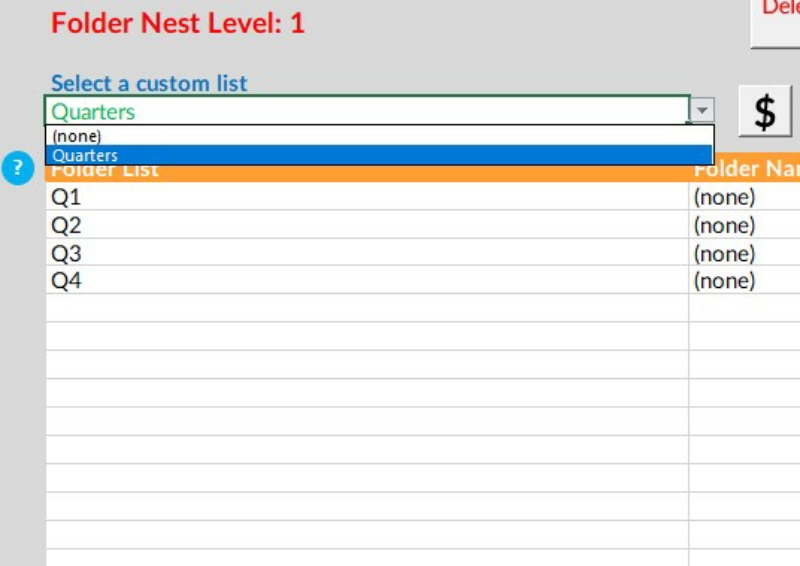
- Auto-list creation – if you are frequently making folder names based on dates/times (eg folders for months of the year, days of the week, even hourly) then DirecTree is going to save you a ton of time
- Nested folders – if you find you need to repeat the same folder structure below several parent folders (eg business unit folder names, each with several month-name folders as ‘child’ folders) then we’ve got you covered
- Folder ranking – folders don’t always rank the way you want them in Windows (eg Jan will rank below Apr); DirecTree can add auto-number prefixes (eo eg Jan becomes (01) Jan, Apr becomes (04) Apr) so they rank how you want them
- Saved folder – save any lists of folders you create to be easily re-used in the future
DirecTree Video Demonstration
DirecTree Screenshots
More Examples of Our Work
See various different examples of what we do – from Excel spreadsheets to complex Access CRM databases, from automating processes between Office application to quick-turnaround mobileapps – and ALL built on products within the Microsoft Office 365 product suite.
DirectTree: Easy Windows Folder Creation Tool
DirecTree is our FREE tool that allows you to easily create folders in Windows. Rather than having to create folders one-by-one in Windows Explorer, let DirecTree make folders from lists you create in Excel

SNOWbiz: Access CRM for Ski Chalet Businesses
DirectTree: Easy Windows Folder Creation Tool
DirecTree is our FREE tool that allows you to easily create folders in Windows. Rather than having to create folders one-by-one in Windows Explorer, let DirecTree make folders from lists you create in Excel
SNOWbiz: Access CRM for Ski Chalet Businesses
Download to Get Started
DirectTree is a 100% free download, and if you have Excel installed it will work “straight-out-of-the-box”, without any installation whatsoever*
* For DirectTree to work, you will need to ‘Enable Macros’ in Excel
Like what you see? Have an idea for an Office app you think we might be able to help you with?
Contact us now for a no-obligation quote, or simply to tell us what you’d like done and we’ll let you know if/how we can help.